20
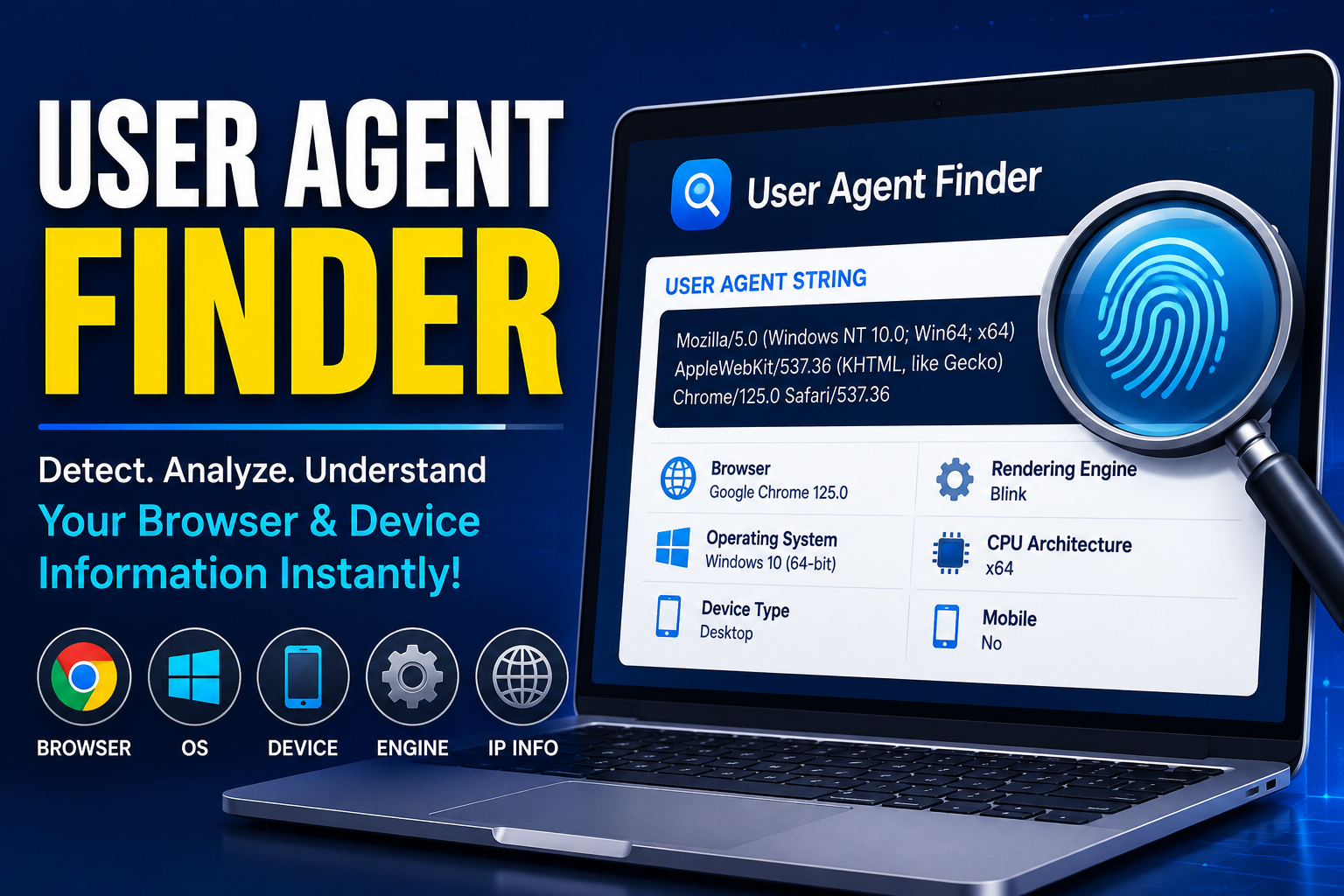
User Agent Finder
A User Agent Finder is a useful online tool that detects and displays browser and device information through a User Agent string. This string contains details such as browser type, version, operating system, device type, and platform. Developers, marketers, SEO experts, and cybersecurity professionals use User Agent Finders to test website compatibility, analyze traffic, improve mobile optimization, and troubleshoot browser-related issues. These tools help websites deliver better user experiences across different devices and browsers. Although modern privacy features are reducing the amount of shared browser data, User Agent Finders remain valuable for web development, analytics, testing, and security purposes.
In today’s digital world, websites and applications collect a variety of technical details to improve performance, compatibility, and user experience. One of the most important pieces of information shared between your browser and a website is the User Agent. If you have ever searched for a “User Agent Finder,” you are likely looking for a way to identify, analyze, or understand browser and device information.
This blog will explain what a User Agent is, how a User Agent Finder works, why it matters, and how developers, marketers, and everyday users can benefit from it.
What Is a User Agent?
A User Agent is a text string sent by your web browser to a website’s server whenever you visit a webpage. It provides information about:
- Browser type
- Browser version
- Operating system
- Device type
- Rendering engine
- Mobile or desktop platform
For example, a User Agent string may look like this:
Mozilla/5.0 (Windows NT 10.0; Win64; x64) AppleWebKit/537.36 (KHTML, like Gecko) Chrome/125.0 Safari/537.36
Although it appears complex, each section contains valuable technical information.
What Is a User Agent Finder?
A User Agent Finder is an online tool that detects and displays your browser’s User Agent string. It helps users instantly identify technical details about their browsing environment.
These tools are commonly used by:
- Web developers
- SEO professionals
- Digital marketers
- Cybersecurity experts
- QA testers
- App developers
A User Agent Finder makes it easy to troubleshoot compatibility issues and test website responsiveness across different devices and browsers.
Why User Agents Matter
User Agents play a major role in how websites interact with visitors. Here are some important reasons why they matter:
1. Website Compatibility
Websites use User Agent data to determine how content should be displayed on different browsers and devices.
2. Mobile Optimization
A website can identify whether a visitor is using a smartphone, tablet, or desktop computer and deliver a mobile-friendly layout.
3. Analytics and Tracking
Businesses analyze User Agent data to understand their audience’s preferred devices and browsers.
4. Security Monitoring
Cybersecurity teams use User Agent information to detect suspicious traffic, bots, or malicious requests.
5. Testing and Development
Developers simulate different User Agents to test website performance across platforms.
Key Features of a Good User Agent Finder
An effective User Agent Finder should provide detailed and accurate information, including:
- Browser name and version
- Operating system details
- Device type
- Rendering engine
- CPU architecture
- Mobile detection
- Raw User Agent string
- IP-related browser insights
Some advanced tools also include API access for developers.
How to Use a User Agent Finder
Using a User Agent Finder is simple:
- Open the tool in your browser.
- The website automatically detects your User Agent.
- View detailed browser and device information.
- Copy the User Agent string if needed for testing or debugging.
Many tools also allow you to compare multiple User Agents.
Common Use Cases
Web Development
Developers test how websites behave on different browsers such as:
- Google Chrome
- Mozilla Firefox
- Safari
- Microsoft Edge
SEO and Crawlers
SEO experts analyze how search engine bots identify themselves using User Agent strings.
Browser Troubleshooting
If a website is not functioning correctly, checking the User Agent can help diagnose compatibility problems.
API Testing
Developers often send custom User Agent headers while testing APIs and web applications.
User Agent Spoofing Explained
Some users modify or “spoof” their User Agent strings to appear as a different browser or device.
Reasons for spoofing include:
- Testing website compatibility
- Accessing mobile versions of websites
- Privacy enhancement
- Security research
However, spoofing should always be used responsibly and ethically.
Are User Agents Still Reliable?
While User Agents remain useful, modern browsers are gradually reducing the amount of information shared to improve user privacy.
New technologies like Client Hints are becoming alternatives to traditional User Agent strings.
Even so, User Agent Finders continue to be valuable tools for developers and analysts.
Best Practices for Developers
When working with User Agent data:
- Avoid relying entirely on browser detection
- Use responsive design whenever possible
- Combine feature detection with User Agent analysis
- Keep User Agent parsing libraries updated
This ensures better compatibility and future-proof web development.
Conclusion
A User Agent Finder is an essential tool for understanding how browsers communicate with websites. Whether you are a developer testing compatibility, a marketer analyzing traffic, or simply curious about your browser details, these tools provide valuable technical insights.
As web technologies continue evolving, understanding User Agents remains an important part of modern web development and digital analysis.
If you manage websites, apps, or online platforms, using a reliable User Agent Finder can help improve performance, security, and user experience.
FAQs
What is a User Agent string?
A User Agent string is a piece of text sent by a browser to identify the browser, operating system, and device.
Is a User Agent Finder free?
Most online User Agent Finder tools are completely free to use.
Can User Agents be changed?
Yes, browsers and applications can modify or spoof User Agent strings.
Why do websites check User Agents?
Websites use them for compatibility, analytics, security, and responsive content delivery.
Are User Agents private?
They are not fully private because they reveal technical information about your device and browser.
Contact
Missing something?
Feel free to request missing tools or give some feedback using our contact form.
Contact Us